Every file. Every keystroke.
Espresso is instant file search for macOS. Results rewrite themselves as you type, across every disk you own, including the ones unplugged in a drawer.
Every disk. One list.
Type and the list rewrites itself on every keystroke. Click a column to sort, a disk to narrow it down. Go on, it works.
| Path | |||
|---|---|---|---|
| Grinding a made-up disk… | |||
A demo disk of 250,000 made-up files, searched live in your browser. The app searches your real disks: five million names in about 18 ms.
Or skip the window. Pull a shot.
Press ⌥ Space over any app and a search panel drops in. Type, hit ↩, and it’s gone. Try the shortcut here: it works on this page too.
- Type a few letters. Try , or .
Speaks fluent Everything.
The search syntax Windows power users know from voidtools’ Everything, operator for operator. Typos get underlined, never refused: the rest of the search still runs.
Read the full syntaxreport 2026- names containing both words
cafe- Café.png too: case and accents don’t matter
<photo | img> !backup- either word, but not backups
IMG_*.heic- wildcards match the whole name
ext:jpg;png;heic dm:2020- pictures modified in 2020
size:>10mb offline:- big files on disks in the drawer
regex:^IMG_\d+\.jpg$- a regular expression, on the name
dupe: ext:pdf- PDFs whose name appears twice
Even the disks in a drawer.
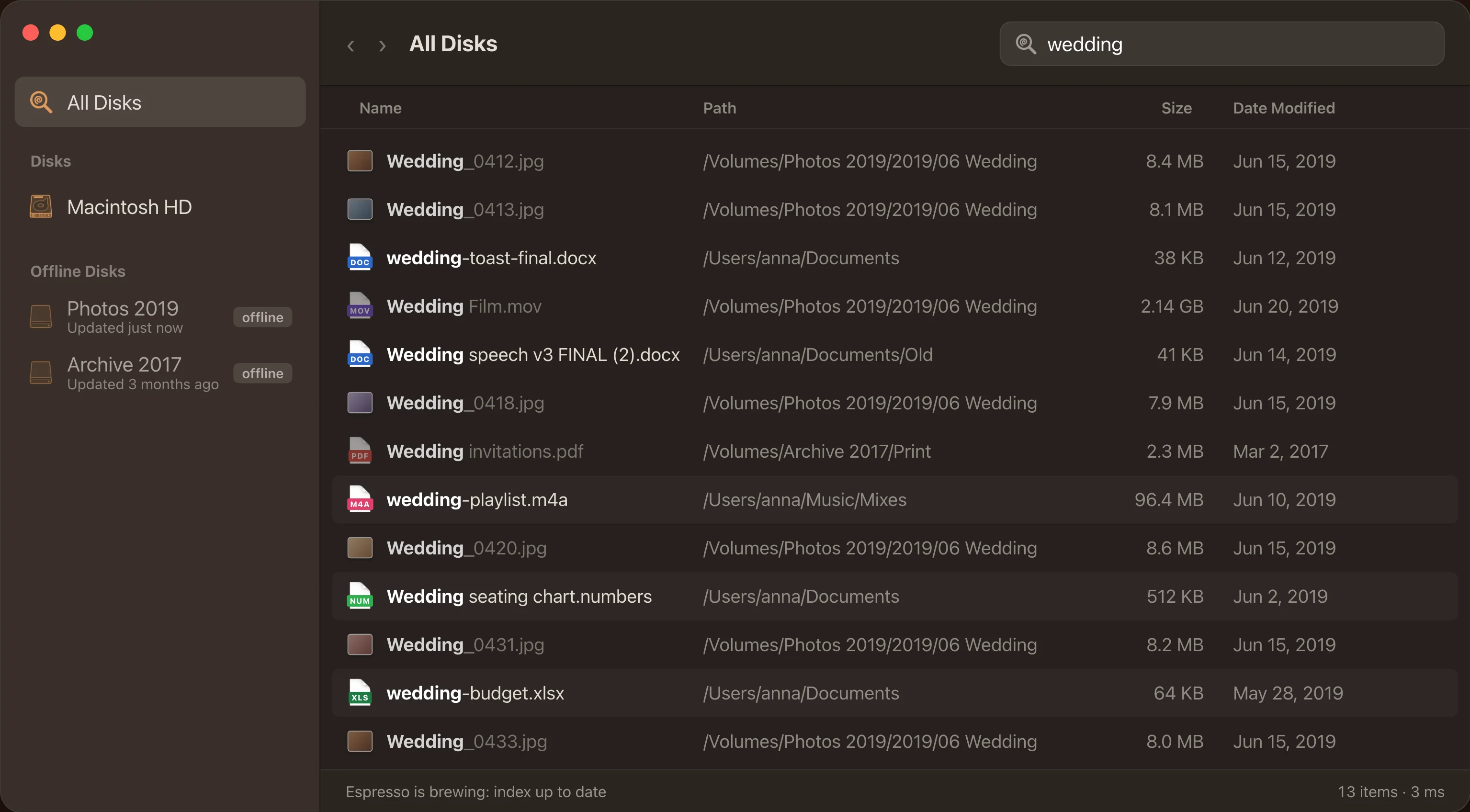
Unplug a drive and its files stay in your results, marked offline. Find the wedding photos first, then go looking for the drive they’re on.
- Internal, external and network disks in one list
- Offline disks stay searchable and browsable
- Plug a drive back in and Espresso catches up with what changed
Here’s the receipt.
Five million files on an Apple M2 with 8 GB of memory. Release build, median of five runs. On a real startup disk of 1.88 million items, searches take 1 to 9 ms.
Numbers from the benchmark in the app’s repository. Your Mac prints its own under Espresso › Receipt.
ESPRESSO
Bench · Apple M2 · 8 GB
| Items indexed | 5,000,000 |
|---|---|
| “report” | 16–18 ms |
| One letter, 3.1 M hits | 18 ms |
| “cafe” → café | 17 ms |
| Regex on names | 19 ms |
| Wildcard IMG_*.jpg | 4 ms |
| Sort all by size | 16 ms |
| Load index, 486 MB | 0.3 s |
| Memory per file | 102 B |
Thank you for your visit
Nothing leaves your Mac.
Espresso reads file names, sizes, dates and Finder tags. Never what’s inside them. The index lives on your Mac, in your Library folder.
No analytics, no telemetry, no accounts. The only times it touches the network: checking for updates, and opening the donation page when you click it.
Built in AppKit, with Finder’s look and Finder’s keys. Space previews, ⌘↩ shows in Finder, ⌘⌫ moves to the Trash.
Espresso is free. The coffee isn’t.
No subscription, no pro tier, no ads. If it saves you a search a day, buy us a coffee. It pays for the Apple developer account that lets the app open without warnings, and for the time that goes into the next version.